The Dutch digital sector is going through a shift in how web architecture is approached. Traditional content management systems are being challenged by visual website development platforms that offer more speed and creative freedom. Webflow has become the default choice for scale-ups and enterprise organisations alike.
What follows is not a ranking you have no way of checking. This page is a decision guide for complex Webflow migrations: WordPress to Webflow, a heavy CMS to a manageable architecture, developer dependency to ownership. That places different demands on an agency than a standard new build does.
Why "best Webflow agency" means something different for a complex migration
A standard build starts from a blank canvas. A complex CMS migration to Webflow starts from an existing architecture you cannot simply throw away: URL structures carrying ranking power, CMS fields that have to be mapped, integrations that must keep running, and content that has to move across in a structured way.
Most migrations do not fail on design. They fail in three places:
- SEO URL transfer: 301 redirects are missing or incomplete, metadata is lost, and Google indexing drops away after launch.
- CMS architecture: collections are built wrong, forcing expensive restructuring later.
- Ownership after launch: the marketing team cannot run the site on its own, so developer dependency persists.
Every agency on this page is assessed against all three, not on design quality alone.
The decision framework: what to look for in a complex migration
Partner level is a useful starting point. Webflow distinguishes between Certified Partners, Premium Partners and Enterprise Partners, and the official Certified Partners directory gives you a searchable overview. But partner level on its own is not enough for a complex migration.
Assess every agency against four categories:
A. CMS architecture and scalability
How does the agency structure Webflow CMS collections? Does it use a consistent class naming convention such as Finsweet Client-First? Is the URL structure of the new site aligned with the existing SEO hierarchy?
B. SEO safety and URL mapping
Does the agency deliver a complete redirect matrix before launch? Is metadata (title tags, meta descriptions, alt text) transferred systematically? Is there a monitoring window after go-live?
According to the Webflow Help Center (19 May 2026), 301 redirects are the best practice for preserving ranking power through URL changes, redesigns and domain moves. An agency that does not deliver a concrete redirect plan is taking on an avoidable SEO risk.
C. Integrations and data flow
Which third-party tools have to keep working after the migration (CRM, marketing automation, analytics, forms)? Does the agency have demonstrable experience with Webflow Logic, Zapier or the Webflow Integrations API?
D. Ownership and handover
Does the agency provide CMS training for the marketing team? Is there a structured support channel after launch? Who manages DNS, staging and analytics during onboarding?
Checklist: questions to ask every Webflow agency
Work through this list before you draw up a shortlist:
- What is your Webflow partner level (Certified / Premium / Enterprise)?
- How do you build the redirect matrix for the migrated URLs?
- Which class naming convention do you use for Webflow CMS builds?
- How are existing CMS fields mapped to Webflow collections?
- How do you organise URL structure during the migration?
- Do you deliver an SEO metadata transfer report (title tags, descriptions, alt text)?
- How does acceptance and sign-off work per phase?
- Is there a staging environment for QA before go-live?
- How is CMS training for our team handled after delivery?
- Which channel does post-launch support run through, and what is the response time?
- How do you handle multi-language where that applies?
- How are post-launch defects handled, billable or not?
- How long does a migration comparable to ours typically take?
- Can you name a comparable migration project as a reference?
Comparison matrix: Webflow agencies for complex migrations in the Netherlands
Partner levels are indicative, based on publicly available information. Verify current status through the Webflow Certified Partners directory.
Leading agencies, matched to migration type
1. Groove Digital (Amsterdam)
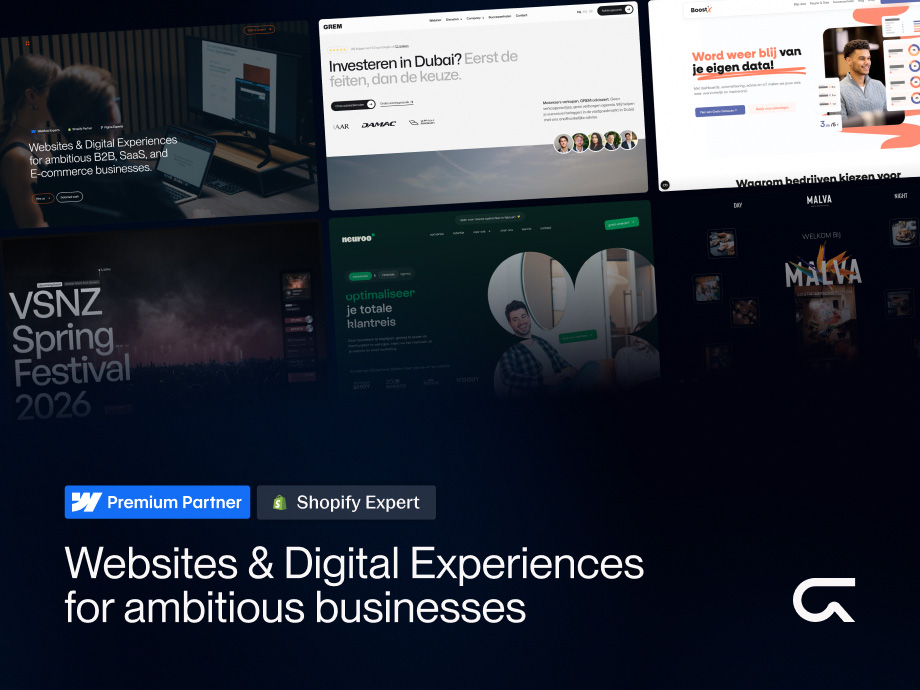
Best suited to: WordPress to Webflow migrations for B2B companies and scale-ups that want ownership of their site without ongoing developer dependency.
Groove Digital works to the Sprints & Recipes™ framework: four phases (Enrollment, Onboarding, Delivery, Client Success) on a two-week sprint cadence with mandatory sign-off gates. Those gates prevent scope drift during the project, and the Client Success phase addresses the ownership gap after launch.
The Build phase runs as two consecutive sprints. Sprint 1 sets up CMS collections, URL structure, responsive architecture and consistent class naming on the Finsweet Client-First convention. Sprint 2 covers animation, polish and content population. That gives every migration a reproducible structure rather than an ad-hoc approach.
After delivery, support runs through the GrooveCare programme: prepaid hours, email tickets acknowledged within one working day, larger work completed in transparent 15-minute blocks. Defects arising from a recent deployment are non-billable.
When not to choose them: If your project is primarily a Shopify ecommerce build, or if you want a purely creative boutique experience without a focus on governance and ownership.
See selected projects from Groove Digital here.
2. Noco Agency (Amsterdam)
Best suited to: Enterprise B2B SaaS organisations with security and compliance requirements.
Noco Agency is one of three agencies in the Netherlands holding official Enterprise Partner status. They focus on the governance, security onboarding and compliance control that large organisations require during a platform migration. Webflow Enterprise positions itself around building and scaling enterprise websites, and Noco has shaped its offer specifically around that audience.
When not to choose them: If you are an SME with a limited migration budget, or if your primary need is CRO and ownership for an in-house marketing team.
3. ZUID. (Tilburg)
Best suited to: Large content teams that need a complex CMS architecture where multiple users can work without design risk.
ZUID. holds Enterprise Partner status and focuses on building CMS structures where teams can manage content independently without compromising design integrity. That makes them relevant for organisations migrating from a heavy WordPress multisite or a CMS with multiple user levels.
When not to choose them: If your project is small in scope, or if a location outside the Randstad is a practical constraint for you.
4. Cut the Code (Amsterdam)
Best suited to: Companies that want Webflow integrated into a wider no-code automation stack, with the website connected directly to internal business processes.
Cut the Code completes the Dutch Enterprise Partner trio. They specialise in connecting Webflow to larger automation programmes, which is relevant when the migration also means restructuring data flows.
When not to choose them: If your migration is primarily design-led with no complex integration requirements.
5. Perspective Design (Amersfoort)
Best suited to: Brands that want to re-anchor their visual identity in the site architecture as part of the migration.
Perspective Design operates at the intersection of brand strategy and technical development. They make sure the choices in the Webflow architecture support the brand's long-term vision, not just the technical deliverables.
When not to choose them: If you want a purely technical migration with no brand strategy component.
6. Boring (Amsterdam)
Best suited to: Companies that need a fast, reliable migration with a focus on maintainable code and clean UX.
Boring is known for a minimalist approach and clean builds that are straightforward to manage after launch. That makes them relevant for teams that want to keep working independently once the migration is done, without complex code structures in the way.
When not to choose them: If you want a heavily animation-driven or creatively premium project.
7. Studio Flabbergasted (Rotterdam)
Best suited to: Retail brands that want design freedom over their Webflow front end while Shopify remains the ecommerce engine.
Studio Flabbergasted built its reputation on the Shopyflow integration, which connects Webflow and Shopify. They are the right choice when your migration has an ecommerce component and Shopify stays in place as the back end.
When not to choose them: If your project has no ecommerce component, or if you want to migrate fully to Webflow Ecommerce.
8. We Met Before (Amsterdam)
Best suited to: Lifestyle brands and creative studios looking for a bespoke digital experience with a premium boutique approach.
We Met Before focuses on creating distinctive digital experiences that depart sharply from standard templates. Relevant when brand differentiation is the primary driver, ahead of governance or ownership.
When not to choose them: If governance, CMS training and internal manageability matter more to you than creative distinction.
9. Uncode (Amsterdam)
Best suited to: Companies building a scalable digital product where the Webflow site is part of a wider no-code product strategy.
Uncode bridges complex technical requirements and the ease of use of a visual development platform. They are relevant for teams that want to keep growing after the migration without recurring developer input.
When not to choose them: If your migration is primarily content and CMS driven with no product development component.
10. Codelevate (Amsterdam)
Best suited to: Projects with technically demanding custom requirements that need deep knowledge of Webflow integrations and custom code.
Codelevate takes on technically complex projects that fall outside standard Webflow capability. Relevant when your migration requires specific API connections or custom functionality that is not available out of the box.
When not to choose them: If your project has no custom code component and you want a more standardised migration approach.
Migrating to Webflow without losing SEO: the minimum required steps
A WordPress to Webflow migration has immediate SEO consequences if URL mapping and redirects are not executed correctly. The Webflow Help Center describes 301 redirects as the best practice for preserving ranking power through URL changes, site redesigns, moves to a new domain, and securing alternative domains (Webflow Help Center, 19 May 2026).
Every complex CMS migration requires these deliverables as a minimum:
Before launch:
- Complete URL inventory of the existing site, including subpages, blog URLs and landing pages
- Redirect matrix: old URL → new URL, with HTTP status code (301)
- SEO metadata transfer: title tags, meta descriptions, canonical tags, alt text
- CMS field mapping: existing WordPress custom fields → Webflow collection fields
- Staging environment with a QA checklist covering every redirect
At launch:
- Activate 301 redirects in Webflow (Settings > Hosting > Redirects)
- Submit the updated sitemap through Google Search Console
- Check Google indexing on critical pages
After launch (monitoring window, minimum 30 days):
- Monitor Search Console for crawl errors and 404 reports
- Track positions on priority keywords
- Verify every redirect chain, avoiding chains longer than one step
- Confirm analytics tracking still fires correctly across all pages
An agency that does not offer a redirect matrix as a fixed part of its migration approach is taking on an avoidable SEO risk at your expense.
Red flags in Webflow migrations: contractual and process warnings
Do not assess an agency on portfolio alone. Assess how they structure the project. Concrete warning signs:
- No hard sign-off per phase. Without formal acceptance moments per phase, scope drift accumulates and it becomes difficult to establish what has actually been delivered.
- No demonstrable CMS training or handover plan. If the agency cannot describe how your team runs the site after delivery, you stay dependent.
- No structured support channel after launch. "We are always reachable" is not a support model. Ask about response times, channels and the billing policy for post-launch work.
- No access to analytics, DNS or staging during onboarding. If you have no visibility into these environments as the client, you have no control over your own infrastructure.
- No redirect matrix as a fixed deliverable. See the previous section.
How to compare proposals from Webflow agencies
Use the template below as the basis for an RFP, or as an evaluation framework when assessing quotes.
RFP template: complex Webflow migration
1. Scope and sitemap
- How many pages and CMS items does the existing site contain?
- What method do you use for the sitemap and URL inventory?
- How are retired pages handled, 301 to the most relevant URL or removal?
2. Redirect matrix
- How do you build the redirect matrix?
- Who is responsible for validation after launch?
- How do you handle URL changes that carry SEO value?
3. CMS field mapping
- How are existing CMS fields (WordPress custom fields, ACF) mapped to Webflow collections?
- Which class naming convention do you use, for example Finsweet Client-First?
4. Integrations
- Which existing tools have to keep working after the migration (CRM, forms, analytics, chat)?
- How do you manage data flow during the transition phase?
5. Sprint planning
- How many sprints do you allow for this project?
- What are the acceptance criteria per sprint?
- How is scope drift controlled?
6. Ownership and training
- What CMS training do you deliver?
- Who manages DNS, staging and analytics during and after the migration?
- How is handover organised after delivery?
7. Post-launch support model
- Which channel does support run through?
- What is the response time on tickets?
- How are post-launch defects handled?
Timeline difference: average project versus complex migration
An average Webflow new build (10 to 20 pages, no CMS migration) typically takes 6 to 10 weeks. A complex CMS migration (50+ pages, an existing URL structure, integrations, a redirect matrix) realistically takes 10 to 16 weeks. Agencies promising a complex migration in four weeks are probably not planning the redirect matrix, content transfer or QA phase in full.
Frequently asked questions about complex migrations to Webflow
What does a complex Webflow migration cost?
It varies considerably with scale and complexity. Migrating a small WordPress site (10 to 30 pages, limited CMS) typically starts around €5,000 to €10,000. A more complex migration with hundreds of CMS items, integrations and a redirect matrix sits closer to €15,000 to €40,000+. Agencies with Enterprise Partner status more often work with budgets above €30,000 per project.
How long does a migration take?
Duration is driven by the number of pages and CMS items to migrate, the complexity of the redirect matrix, how many integrations have to keep running, content availability for the population phase, and the number of iteration rounds. Allow a minimum of 10 weeks for a mid-sized migration with a serious QA phase.
How do you handle multi-language and large CMS sets?
Webflow provides native multi-language support. For large CMS sets of 500+ items, it matters that the agency thinks through the collections architecture upfront: which fields, which references, and which URL structure per language. Ask agencies specifically about previous projects with comparable CMS scale and language variants.
How do you avoid staying dependent on the agency after launch?
This takes two things: a well-structured CMS architecture that is intuitive to manage, and a formal handover plan including training. Agencies working with structured class naming such as Finsweet Client-First, documented CMS fields and explicit CMS training give your team a realistic chance of running the site themselves. A support programme like GrooveCare provides structured post-launch support without leaving you fully dependent on the agency.




.avif)

.avif)